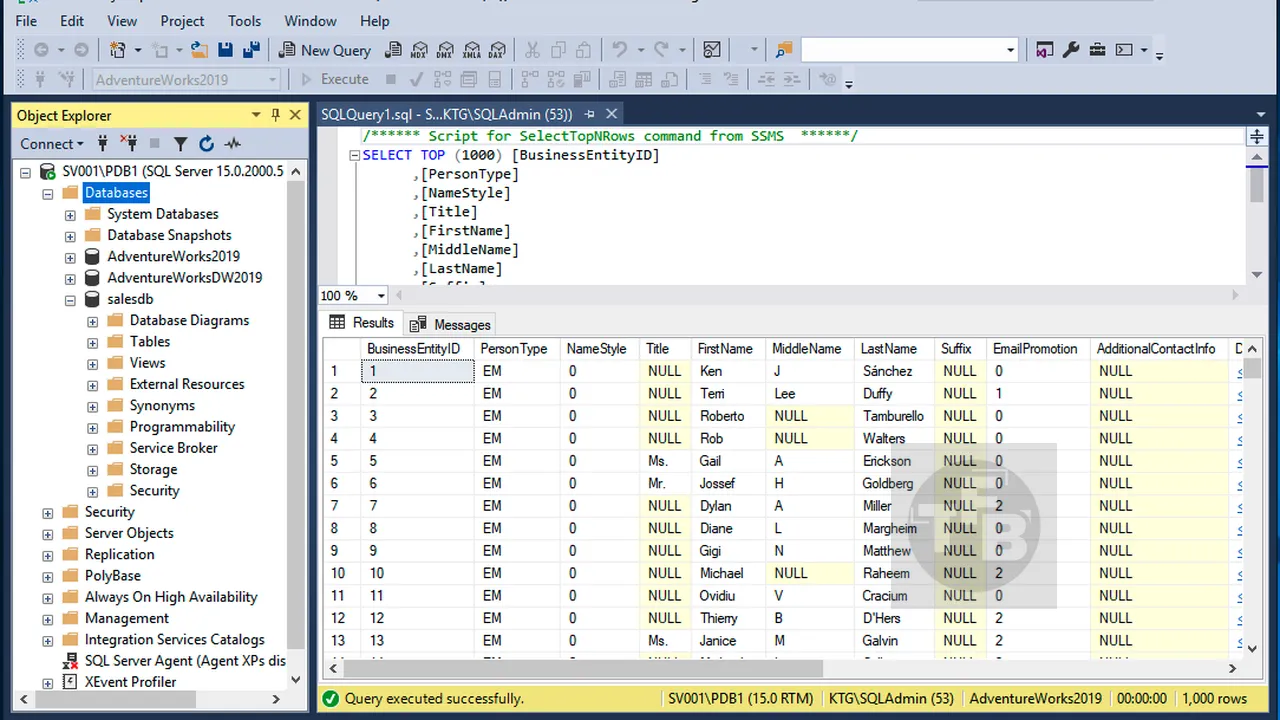
Review: Mastering Data with Top-Rated SQL Courses
If you’re looking to effectively manage, analyze, and extract value from data, learning **SQL** is a fundamental step. It’s the universal language for interacting with relational databases, powering everything from web applications to complex enterprise systems. For anyone serious about a career in data, whether it’s in Big Data analytics, aiming for a Database Administrator certification, or working with Data Warehousing and Business Intelligence (BI) tools, a solid grasp of SQL is non-negotiable.
Structured SQL courses offer a clear, guided path to proficiency, often cutting down the time and frustration associated with self-learning. They provide expert instruction, practical exercises, and a supportive environment designed to build a strong foundation and advanced skills. This review will explore what makes a ‘top-rated’ SQL course stand out, outlining typical content, benefits, and how it compares to alternative learning methods.
What to Expect: A Comprehensive SQL Curriculum
Top-rated SQL courses typically follow a logical progression, starting with the basics and moving towards more complex topics essential for professional application. Here’s a detailed breakdown of what a robust curriculum usually covers:
Module 1: Foundations of Databases and SQL
- Introduction to Relational Databases: Concepts, ER Diagrams, Normalization.
- Understanding Database Management Systems (DBMS): MySQL, PostgreSQL, SQL Server, Oracle.
- Basic SQL Syntax and Structure: The SELECT statement.
- Installing and Setting Up a Database Environment.
Module 2: Data Retrieval – The Core of SQL
- Filtering Data with WHERE Clauses: AND, OR, NOT operators.
- Pattern Matching: LIKE operator and wildcards.
- Range and Set Filtering: BETWEEN and IN operators.
- Sorting Results: ORDER BY clause (ASC/DESC).
- Limiting Results: LIMIT/TOP/ROWNUM.
Module 3: Aggregation and Grouping Data
- Aggregate Functions: COUNT, SUM, AVG, MIN, MAX.
- Grouping Data: GROUP BY clause.
- Filtering Groups: HAVING clause.
- Handling NULL Values in Aggregations.
Module 4: Working with Multiple Tables – Joins
- Understanding Relationships Between Tables (Primary and Foreign Keys).
- INNER JOIN: Retrieving matching records.
- LEFT JOIN (LEFT OUTER JOIN): Retrieving all records from the left table.
- RIGHT JOIN (RIGHT OUTER JOIN): Retrieving all records from the right table.
- FULL OUTER JOIN: Retrieving all records from both tables.
- Self-Joins and Cross Joins.
Module 5: Subqueries and Common Table Expressions (CTEs)
- Introduction to Subqueries: Nested queries.
- Using Subqueries in SELECT, FROM, WHERE clauses.
- Correlated Subqueries.
- Common Table Expressions (CTEs): WITH clause for readability and complex queries.
- Recursive CTEs (advanced).
Module 6: Data Manipulation Language (DML)
- INSERT Statements: Adding new rows of data.
- UPDATE Statements: Modifying existing data.
- DELETE Statements: Removing rows from tables.
- TRUNCATE Table: Quickly removing all rows.
Module 7: Data Definition Language (DDL) and Database Objects
- CREATE TABLE: Defining table structures, data types, constraints.
- ALTER TABLE: Modifying existing table structures.
- DROP TABLE: Deleting tables.
- Creating and Managing Views.
- Understanding and Creating Indexes for Performance.
- Introduction to Stored Procedures and Functions.
Module 8: Advanced SQL Concepts and Performance
- Window Functions: ROW_NUMBER, RANK, LEAD, LAG, NTILE.
- Transactions and ACID Properties.
- Error Handling in SQL.
- Performance Tuning Basics: Query optimization strategies.
- Brief Introduction to NoSQL Databases and when to use them.
Module 9: Real-World Applications and Projects
- Connecting SQL with programming languages (Python, Java – optional).
- Using SQL for Data Warehousing principles and ETL processes.
- Integrating SQL with Business Intelligence (BI) tools (e.g., Tableau, Power BI).
- Capstone Project: Applying learned skills to a complex dataset.
Comparison: Top-Rated SQL Courses vs. Alternatives
Understanding how structured courses stack up against other learning methods is key to making an informed decision.
| Feature | Top-Rated SQL Courses | Competitor A: Self-Learning (Documentation & Forums) | Competitor B: Bootcamp (Intensive, Broader Scope) |
|---|---|---|---|
| **Structured Learning Path** | Excellent, logical progression from fundamentals to advanced topics with clear objectives. | Poor to Moderate; requires strong self-discipline to structure content and identify key learning areas. | Good, but often very fast-paced, potentially glossing over foundational details. |
| **Instructor Support** | High; access to experienced instructors for Q&A, feedback, and clarification. | Low; relies on public forums, documentation, and trial-and-error, which can be time-consuming. | Moderate to High; direct access to instructors, but often in a larger class setting with limited one-on-one time. |
| **Practical Exercises & Projects** | Excellent; includes numerous hands-on exercises, quizzes, and often a capstone project. | Moderate; requires finding or creating your own datasets and problems, which can be challenging. | Excellent; heavily project-based, but pressure to complete quickly. |
| **Cost** | Moderate to High; varies by platform and depth, but typically a worthwhile investment. | Very Low (often free); time is the primary investment. | Very High; often thousands of dollars for short, intensive programs. |
| **Flexibility** | High; typically self-paced online, allowing learners to fit it around other commitments. | Highest; complete freedom to learn at any time, any pace. | Low; fixed schedule, demanding significant time commitment daily. |
| **Pacing** | Self-paced or guided cohort pacing; designed to ensure understanding before moving on. | Completely self-determined, can lead to slow progress or skipping vital steps. | Very fast; intense daily schedule, can be overwhelming for some learners. |
Pros and Cons of Enrolling in Top-Rated SQL Courses
Structured learning has distinct advantages, but it’s important to consider all aspects.
Pros:
- **Comprehensive Coverage:** Ensures you don’t miss critical foundational or advanced topics.
- **Expert Instruction:** Learn from experienced professionals who share best practices and real-world insights.
- **Structured Learning Path:** A clear, logical progression keeps you on track and motivated.
- **Practical Application:** Abundant hands-on exercises, labs, and projects solidify understanding.
- **Certification Preparation:** Many courses are designed to align with industry certifications (e.g., Microsoft Certified: Azure Database Administrator Associate).
- **Community and Support:** Access to discussion forums, peer interaction, and instructor Q&A.
- **Career Advancement:** Provides verifiable skills and often includes career guidance or portfolio-building support.
- **Efficiency:** Reduces trial-and-error, making the learning process more efficient.
Cons:
- **Cost:** High-quality courses come with a financial investment.
- **Time Commitment:** Requires dedicated time, which can be significant for comprehensive courses.
- **Pacing Challenges:** While flexible, some self-paced learners might struggle with maintaining momentum.
- **Generic vs. Specific:** While comprehensive, a general SQL course might not immediately dive deep into a very niche SQL dialect or specific database system you might encounter.
- **Overwhelm for Absolute Beginners:** Learners with no prior tech exposure might find the initial learning curve steep.
Who Is This For?
Top-rated SQL courses are ideal for a broad spectrum of individuals seeking to leverage data effectively:
* **Aspiring Data Analysts and Scientists:** Essential for querying and manipulating data for analysis.
* **Future Database Administrators (DBAs):** A foundational step towards managing and optimizing databases.
* **Business Intelligence (BI) Developers:** Crucial for extracting data from various sources to build reports and dashboards.
* **Data Engineers:** Fundamental for building and maintaining data pipelines and Data Warehousing solutions.
* **Software Developers:** Useful for interacting with backend databases for application development.
* **Project Managers and Business Professionals:** Anyone who needs to understand data structures or directly query databases for informed decision-making.
* **Students and Career Changers:** Those looking to enter the Big Data analytics field or transition into a data-centric role.
If your career aspirations involve working with data in any capacity, from managing vast datasets for Big Data analytics to optimizing queries for a Database Administrator certification, or even designing reports with Business Intelligence (BI) tools, these courses provide the essential building blocks.
Frequently Asked Questions (FAQ)
Q1: Which SQL dialect do these courses typically cover?
Most top-rated SQL courses focus on ANSI SQL, which is the standard. However, they often include examples and specific syntax for popular database systems like MySQL, PostgreSQL, SQL Server, and sometimes Oracle. It’s common for a course to pick one primary system for hands-on labs (e.g., PostgreSQL or MySQL) but explain differences where relevant.

Q2: Do I need prior programming experience to take a SQL course?
No, prior programming experience is generally not required. SQL is often considered a great entry point into the tech field because its syntax is relatively intuitive and declarative (you describe *what* you want, not *how* to get it). While a logical mindset helps, most courses start from absolute zero, teaching all necessary database concepts from scratch.
Q3: How long does it take to become proficient in SQL?
Proficiency is subjective, but with dedicated effort, you can develop a solid working knowledge of SQL (covering most of the curriculum outlined above) in 1-3 months. This would involve committing several hours per week to coursework and practice. Achieving expert-level proficiency, including complex performance tuning and database design, is an ongoing journey that can take years of continuous learning and practical experience.